
Overview
- A graphical Turing machine simulator built as my final-year project (PFE) for the DUT at EST Safi
- Written in Python, with the interface rebuilt in customTkinter
- Runs a machine from a transition table and animates the tape step by step
- Generates a state graph from the transition table
- Interface fully translated into French
Credit where it is due
This project builds on TuringGUI, an open-source Turing machine simulator created by David Kocen and Brian Ward for Boston College’s CS330901 Topics In Computer Science: Computability and Complexity. The original provided the simulation core and a first interface.
What I added
- Rebuilt the GUI across four iterations (v1.0 to v4.0), moving to customTkinter for the dark, tabbed layout
- State-graph generation, so a transition table can be read as a diagram instead of only as text
- Additional machine algorithms, including binary addition and concatenation languages
- Step-backward execution, alongside run, stop, reset and an adjustable step delay
- French translation of the whole interface
- Explored and documented several Turing machine variants
The interface
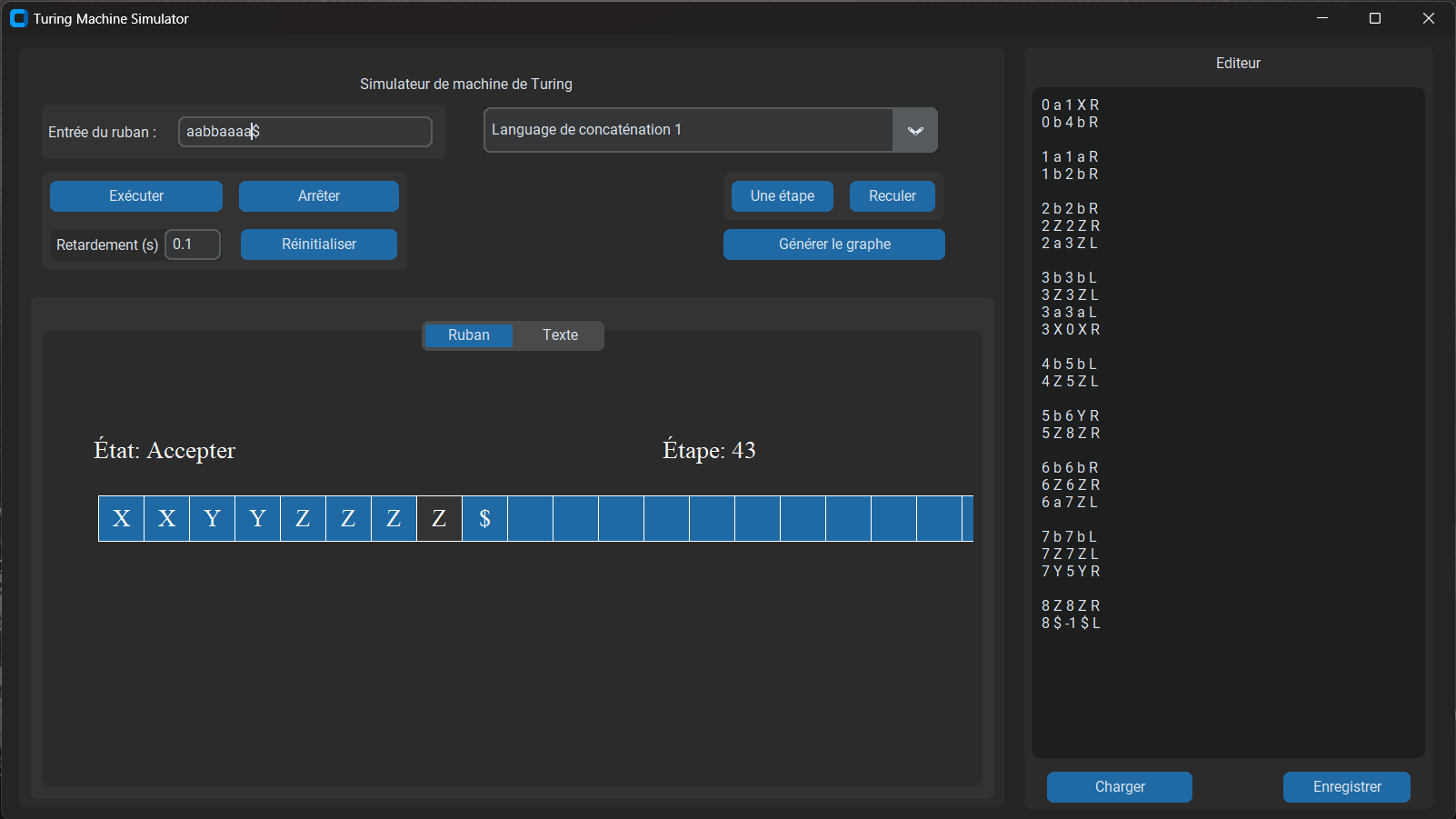
The tape view shows the current state and step count as the machine runs. The editor on the right loads and saves transition tables, so a machine can be written, run and corrected without leaving the program.
Why it mattered
Implementing a Turing machine rather than reading about one leaves no room to hand-wave. The transition-table interpreter, two-way tape mechanics and halting behaviour all have to be exactly right before anything runs, which is a far better test of understanding computation theory than an exam answer.